
Works with Foundry VTT, Roll20 & more
Universal VTT Export
Build your hex map in Hexer, export it as a Universal VTT scene, and drop it straight into your virtual tabletop. Five export formats, all free.
Pick a format and click Export to see how it works.
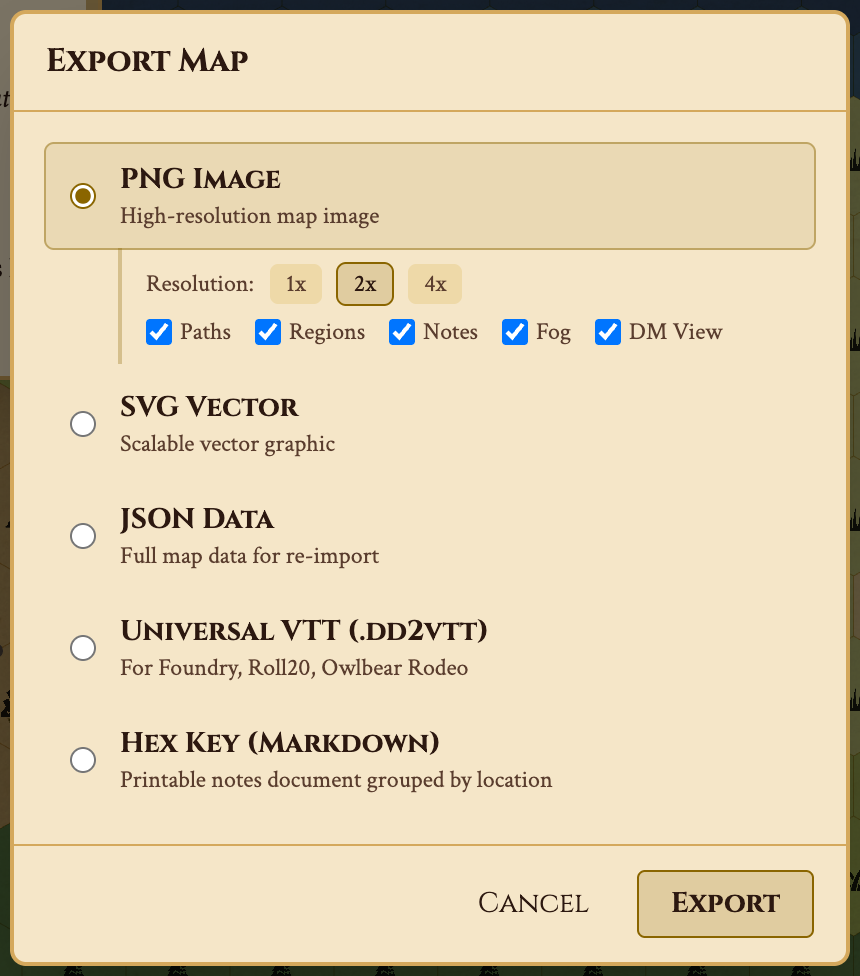
Five Export Formats
Universal VTT (DD2VTT)
The open scene format supported by Foundry VTT (through the Universal Battlemap Importer module),
Roll20, Arkenforge, and others. Packages your map image with its grid size and line-of-sight walls into
a single .dd2vtt file. Import it as a scene, set
the hex grid type once (the format has no field for it; the export dialog copies a Foundry macro that does
it), and the cells line up — no measuring, no offset nudging.
PNG — print and share
High-resolution raster image at 1x, 2x, or 4x scale. Perfect for sharing on Discord, printing for the table, or importing into any VTT as a background image.
SVG — infinite zoom
Scalable vector graphic with every hex, icon, and label preserved as vector data. Zoom to any level without losing quality. Great for large-format prints and presentations.
JSON — full data
Complete map data including hexes, terrain types, paths, regions, and notes. Reimport into Hexer on another device, or process with custom scripts and tools.
Hex Key — old-school markdown
Structured markdown document keyed by hex: every note, labeled location, and token, plus the point crawl network. Perfect for hexcrawl modules, printed reference sheets, or publishing content in old-school style.
Built for virtual tabletops.
Hexer isn't a general-purpose art tool — it's a hex map editor built for TTRPG play. Every export format is designed with game masters in mind: the Universal VTT file becomes a Foundry scene with its walls in place, the PNG comes at exactly the right resolution for your VTT grid, and the Hex Key gives you a printable reference for in-person sessions.
Build your world with procedural generation, add fog of war, then export each layer, or any scale level, as its own scene. Surface map for overland travel, Underdark layers for underground exploration — all from one editor.
Export Your First Map
All export formats are free (Pro removes the watermark). No account needed — open the editor, create a map, and download it in any format.
Frequently Asked Questions
What is Universal VTT (DD2VTT)?
Universal VTT is an open scene format originally created for Dungeon Draft. It packages a map image with grid size and line-of-sight walls into a single .dd2vtt file. Foundry VTT (through the free Universal Battlemap Importer module), Roll20, Arkenforge, and other virtual tabletops can import it.
Does the export work with Foundry VTT?
Yes. Export your hex map as Universal VTT and import it with the Universal Battlemap Importer module. The map image, grid size, and walls come along. The format has no field for the hex grid type, so the export dialog offers a one-click Foundry macro that sets it for you.
Are exports free?
Yes. All export formats — PNG, SVG, JSON, Universal VTT, and Hex Key — are available on the free tier, with no account required. Free exports carry a small Hexer watermark; Pro exports do not.
Can I export Underdark layers separately?
Yes. Each layer exports independently. Export the surface as one scene and each Underdark depth as another, then set them up as linked scenes in your VTT.
What resolution is the PNG export?
PNG exports support 1x, 2x, and 4x resolution multipliers. A 40×30 hex map at 4x produces a print-quality image suitable for professional printing.