
Real-time multiplayer
Live Map Sharing
Share a link, and your players see the map update in real time. Fog clears as they explore. Cursors show where everyone is looking. Draw on the map to point things out. No app install needed.
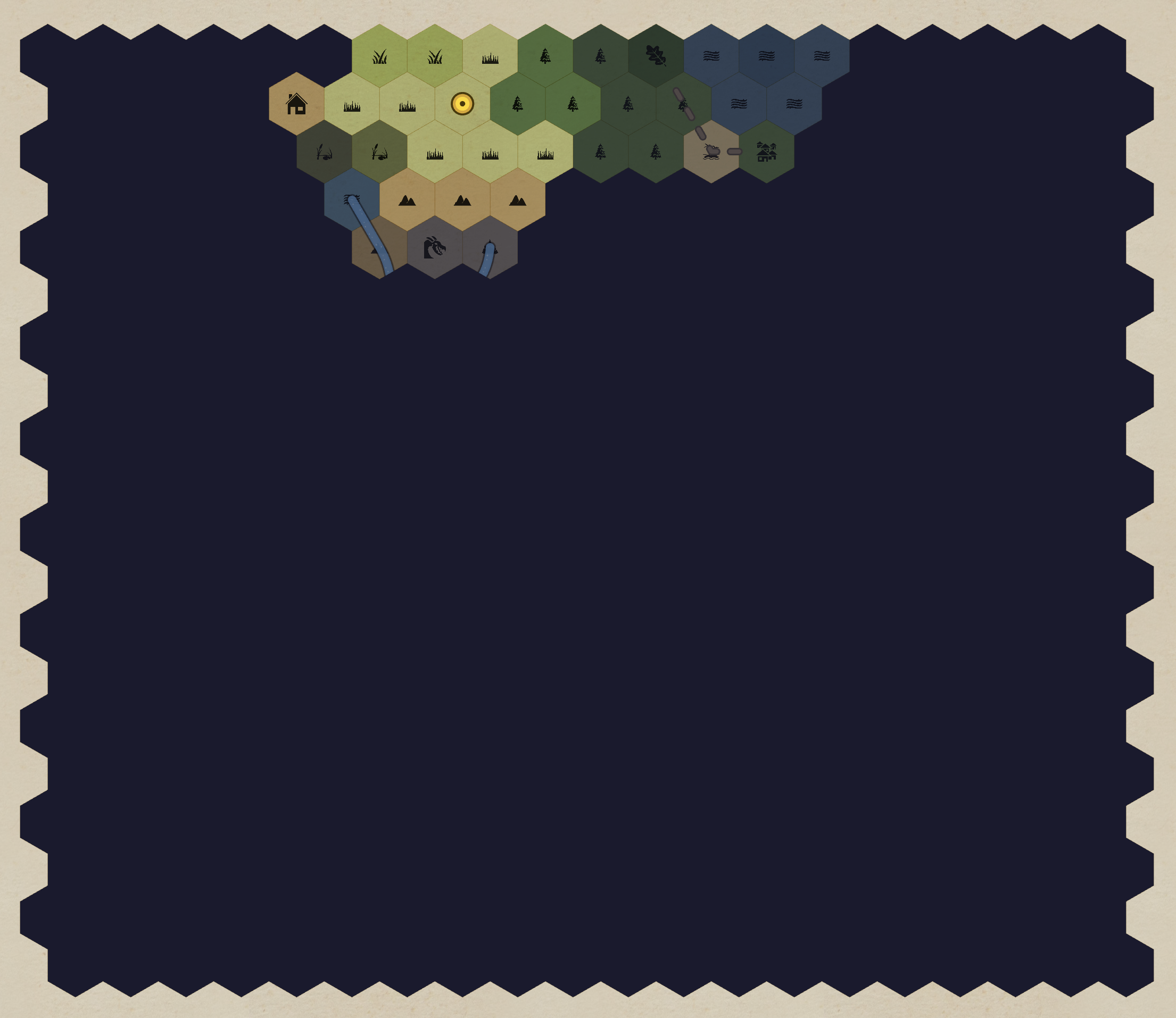
How Live Sharing Works
1. Generate a share link
Click "Share" in the editor and copy the link. That's it — your map is now live. Anyone with the link sees the player view with fog of war applied.
2. Players open the link
No account, no download, no extension. Players open the link in any browser (desktop, tablet, or phone) and see the map instantly. They can pan and zoom freely.
3. Updates stream in real time
Any edit you make in the editor — painting terrain, drawing rivers and roads, adding notes and regions, revealing fog, moving the party marker — streams to every connected player instantly via server-sent events. No polling, no refresh needed: as you build the map at the table, they watch it appear.
4. See each other's cursors
Each connected player shows a colored cursor dot with their name. See where your players are looking on the map — useful for confirming everyone is on the same page.
Multiplayer presence features
Live cursors — colored dots with player names, updated 10 times per second. Cursors fade after 5 seconds of inactivity.
Freehand drawing — hold Shift and drag to draw on the map. Strokes appear for all viewers, stay visible for 5 seconds, then fade over 2 seconds. Great for pointing out routes, marking targets, or spontaneous map annotations.
Party marker — a draggable gold marker that represents the party's position. When paired with fog of war, the marker automatically reveals hexes within its vision radius as you move it.
Travel log — the shared view shows where the party has been, tracking their journey hex by hex. Players can see their full travel history on the map.
Tokens — armies, NPCs and faction markers, each shown or hidden by its own visibility. Mark one as player-movable and players can drag it. See map tokens.
Player journal — players write entries on the hexes they explore, and the whole party sees them appear. See player journals.
Two Views, One Map
DM view — you see everything. All hexes, all notes, all secrets. Fog is rendered as a semi-transparent overlay so you can see what's underneath while knowing what your players can't see.
Player view — they see only what fog allows. Hidden hexes are completely obscured. Partially revealed hexes show terrain color but no icons. Fully revealed hexes show everything. Toggle between views with one click to preview exactly what your players see.
You choose what the player view includes: paths, regions, notes, grid and coordinates, the point crawl, tokens, the party marker (and whether players may move it), the journal, and which scale level the share opens on. Lock the link with a password if it should not travel beyond your table.
DM-only notes, hidden region labels, and unrevealed Underdark layers stay invisible in the player view.
Share Your Map
Live sharing is free, with tokens, player journals and share passwords included. Create a map, click share, and send the link. Fog of war in the shared view requires Pro.
Frequently Asked Questions
Do my players need an account?
No. Players open the share link in any browser — no login, no download, no extension. The map loads instantly with fog of war applied and the party marker visible.
Is live sharing free?
Yes. Live sharing with a party marker, tokens, player journals and a share password is free. Pro adds fog of war, dynamic vision, and Underdark layers to the shared view.
Can I password-protect a shared map?
Yes. Set a password on any share from the Share dialog. Visitors must enter it before the map loads; a wrong or missing password shows nothing at all. Change it to lock everyone out until you hand out the new one.
How many players can view at once?
There is no player limit. Everyone who has the link sees the same map state in real time. Cursor positions and freehand drawings are visible to the DM and all connected players.
Can players draw on the map?
Yes. Players can hold Shift and drag to freehand draw on the shared view. Strokes appear for all connected viewers for 5 seconds, then fade — perfect for pointing out locations or marking paths during discussion.
Does it work on mobile?
Yes. The shared view is fully responsive. Players can pan, zoom, and view the map on phones and tablets. Drawing uses Shift and drag, so it needs a keyboard; on a phone, players follow along without sketching.