
Travel networks for hex crawl campaigns
Point Crawl Maps for D&D
Connect locations with travel routes, define encounters along the way, and track your party's journey — all layered on top of your hex map.
How Point Crawl Works in Hexer
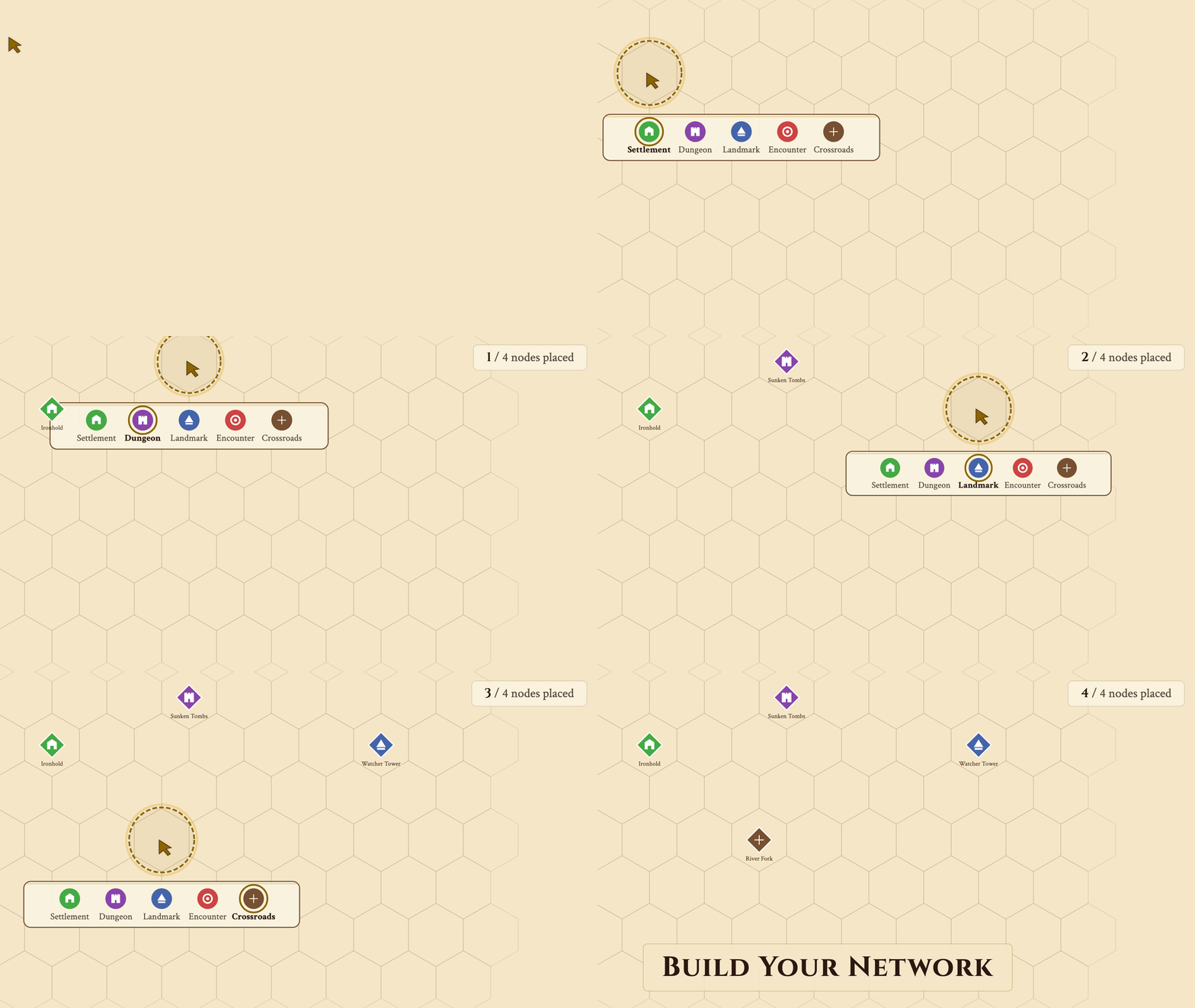
Placing nodes from 8 types with auto-generated names.
Build your network
Click any hex to place a node. Shift-click two nodes to connect them instantly.
- ◆ 8 node types: settlements, dungeons, landmarks, encounters, crossroads, and more
- ◆ Auto-generated thematic names — double-click to rename
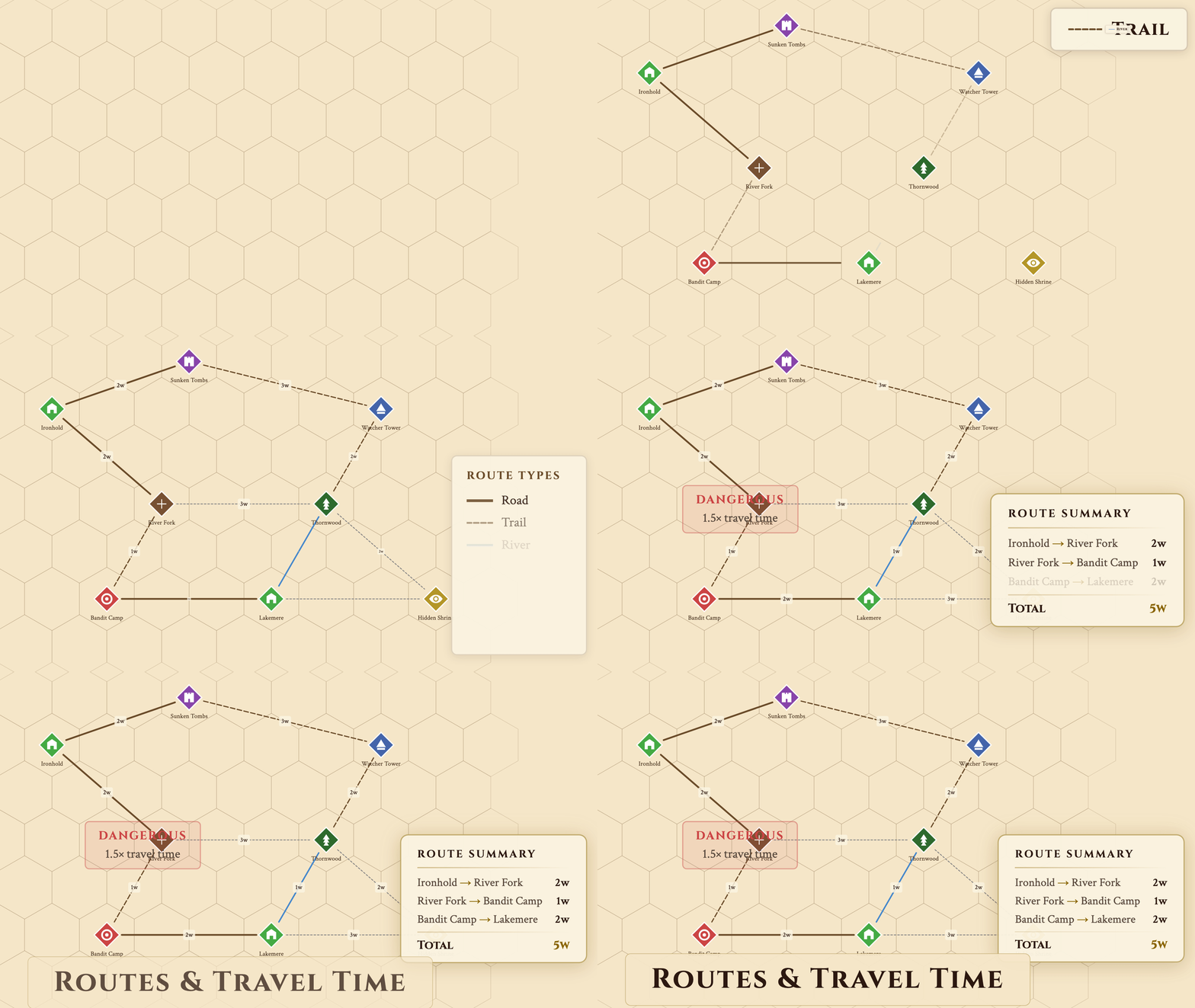
Drawing roads, trails, and rivers with travel time badges.
Define routes & travel time
Seven visually distinct route types with auto-calculated travel time.
- ◆ Roads, trails, rivers, overland, underground, sea, and custom
- ◆ Travel time in watches (~4 hrs each) — auto or manual
- ◆ Difficulty and conditions: easy to dangerous, open to locked
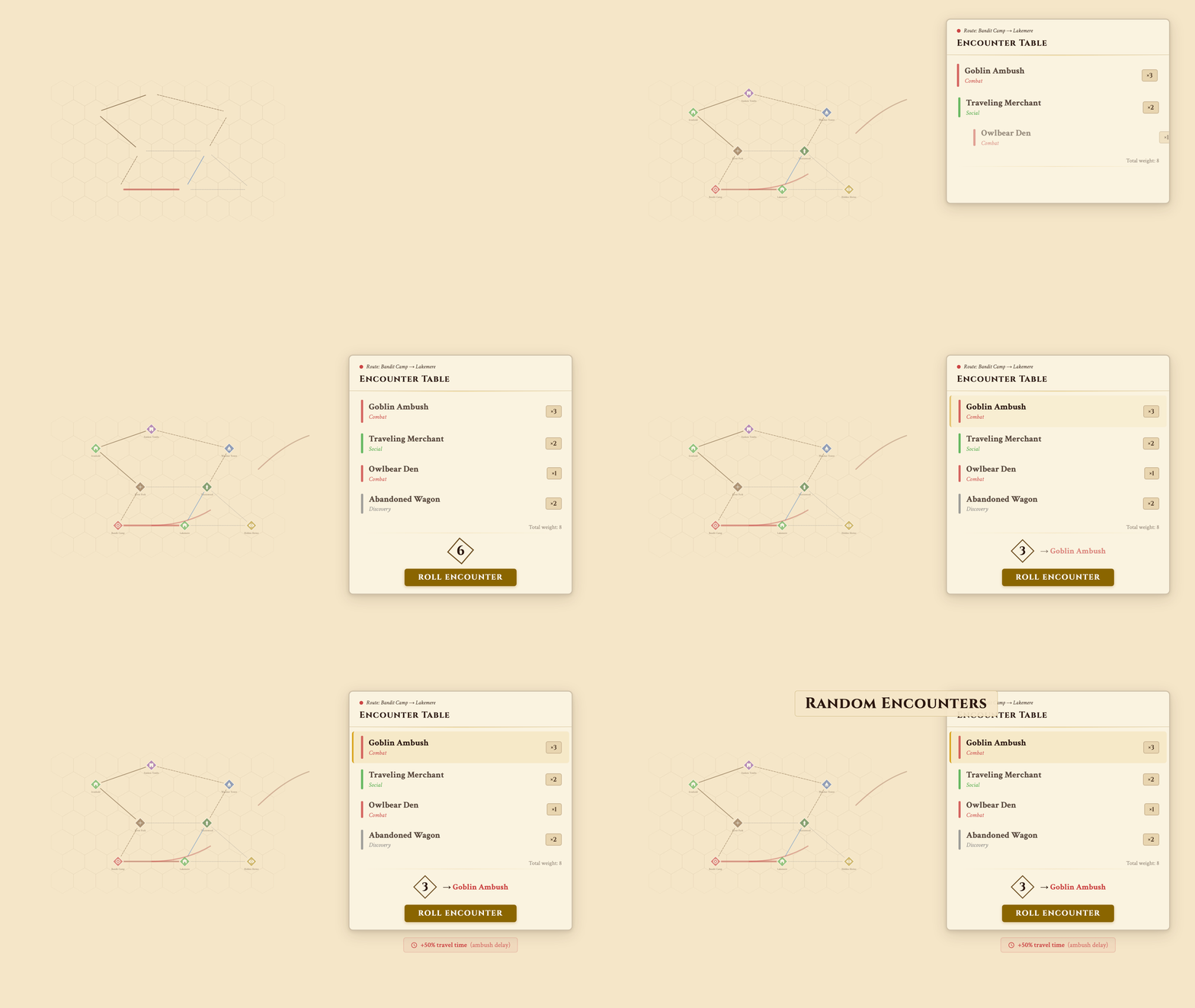
Rolling encounter tables with weighted probabilities.
Add encounters along the way Pro
Define weighted encounter tables on any route and roll directly in the editor.
- ◆ Multiple encounters per route with probability weights
- ◆ Roll dice in-editor to see what the party meets
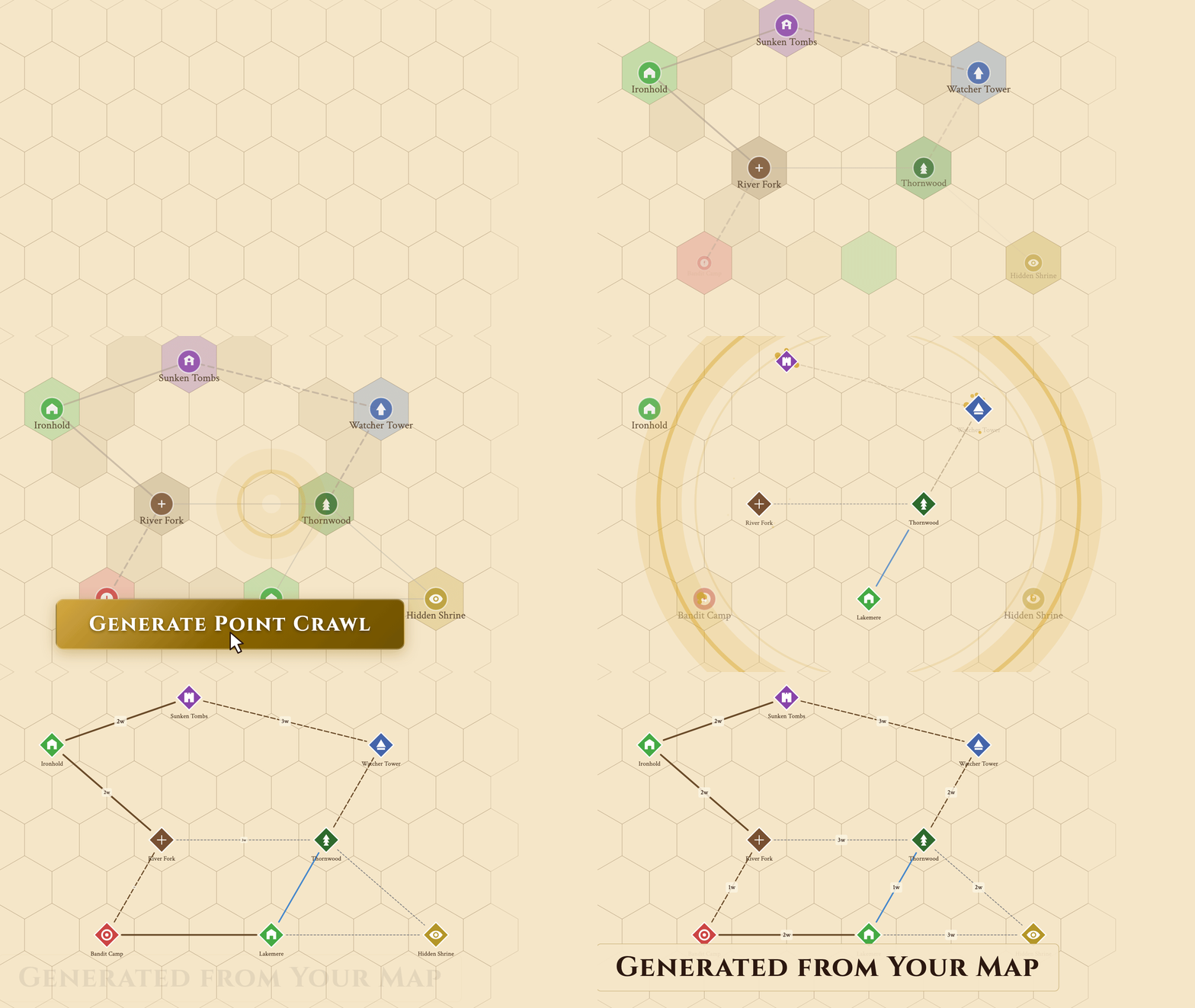
Converting hex map features into a point crawl in one click.
Generate from your hex map Pro
One click converts your existing hex map into a point crawl network.
- ◆ Cities, ruins, temples, roads, rivers → nodes and routes
- ◆ Intersections auto-generate as crossroad nodes
- ◆ Isolated locations get fallback overland connections
- ◆ Link any node to another map, such as the dungeon or city it stands for
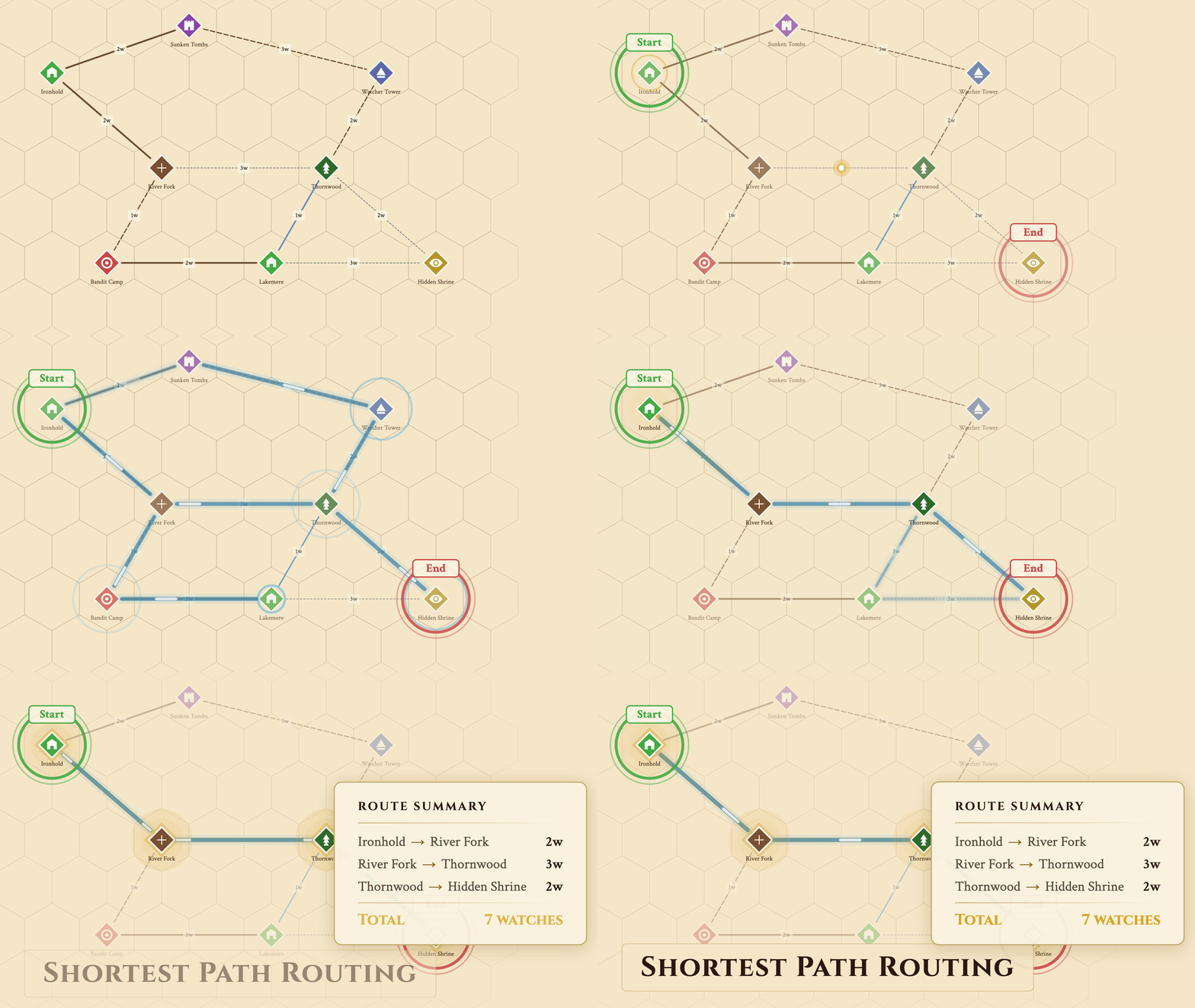
Finding the shortest route with travel time estimates.
Find the shortest path
Pick a start and destination — Hexer finds the fastest route through your network.
- ◆ Impassable and locked routes auto-excluded
- ◆ Dangerous routes count 1.5× their travel time, so safer roads win ties
- ◆ Exact journey times for session planning
See It in Action
30-second walkthrough — build, route, encounter, generate.
The only tool that combines hex crawl and point crawl.
Most hex map editors stop at terrain. Most point crawl tools are standalone graphs with no spatial context. Hexer layers both systems on the same map — paint your world hex by hex, then overlay a travel network for session-ready abstraction.
Your hex map provides the detail. The point crawl provides the structure. Toggle between DM and player views to control exactly what's revealed. Combine with fog of war →
Start Building Your Point Crawl
Point crawl is free for up to 25 nodes — place nodes, connect routes, set conditions, and plan travel. Upgrade to Pro for unlimited nodes, encounter tables, auto-generation, and links to other maps.
Frequently Asked Questions
Is point crawl free in Hexer?
Yes, up to 25 nodes per map: placing nodes, connecting routes, travel time, route difficulty and conditions, and shortest-path routing are all free. Pro removes the node limit and adds encounter tables, one-click generation from your hex map, and nodes that link to other maps.
What is a point crawl?
A point crawl is a graph of named locations connected by routes. Instead of tracking movement hex by hex, players travel between meaningful points — settlements, dungeons, crossroads — with defined travel times and possible encounters along the way.
Can I combine hex crawl and point crawl on the same map?
Yes — that's what makes Hexer unique. The point crawl is an overlay on your hex map. Paint terrain as usual, then add a point crawl network on top. Both systems coexist: hex-level detail for exploration, point-level abstraction for travel.
Can I auto-generate a point crawl from my existing map?
Yes. One click turns your map notes, hex features (cities, ruins, temples), roads, trails, and rivers into a connected point crawl graph. Intersections become crossroads automatically. You can refine everything after generation.
Do players see the point crawl in the shared view?
You control visibility per node and route. Mark locations and routes as DM-only to keep them hidden, or reveal them as players discover new paths.