
Armies on the march
Map Tokens
Put the moving parts of your campaign on the map: armies, warbands, faction leaders, NPCs and the party itself. Drag them hex by hex, and decide for each one what your players get to see.
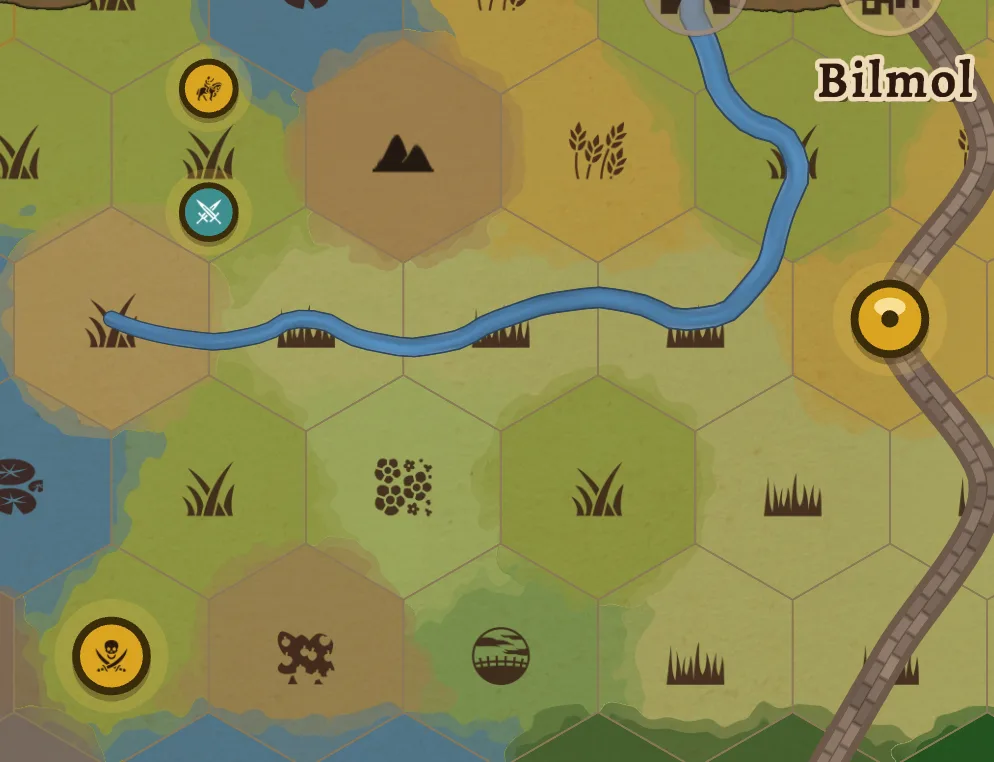
A layer for what moves
Terrain and map features describe the land. Tokens describe what is happening on it this week: the duke's host marching north, the smugglers' caravan, the wyvern that nests in the crags. They sit on their own layer above the map, so you can move them every session without touching a painted hex.
Place and name
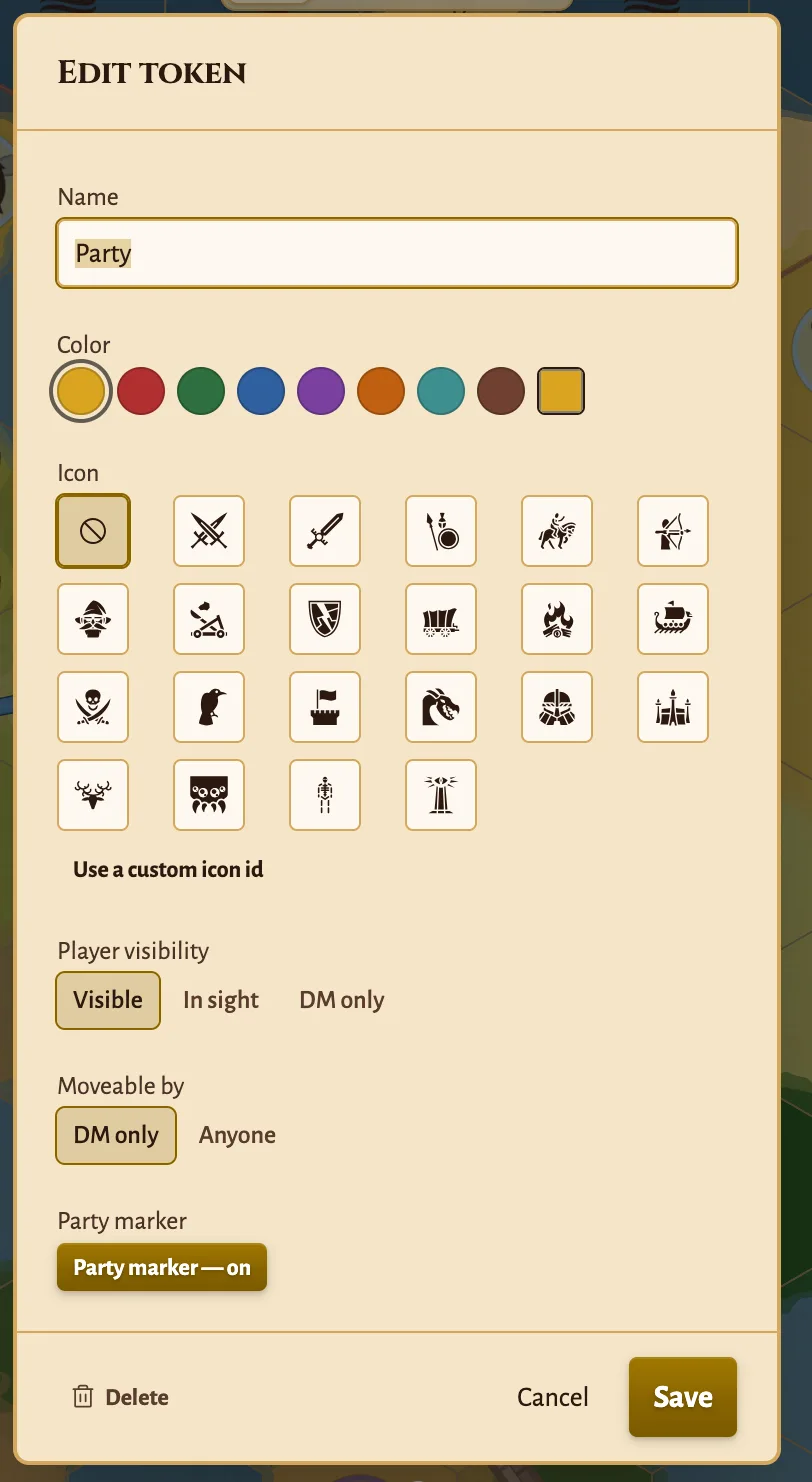
Pick the Token tool and click a hex. Give the token a name, a faction colour and, if you like, an icon: army, sword, infantry, cavalry, archers, mage, siege engine, routed force, and more. A side panel lists every token on the map.
Crowded hexes stay readable
Tokens that share a hex fan out in a ring around it. On a busy hex the ring ends in a "+N" marker that opens the rest by name, so a siege with six armies is still something you can read.
Across scale levels
A token placed on a zoomed-in scale level also shows on the map above it, on the hex that contains it. An army never vanishes because you zoomed out, and you can drag it from either view.
Who sees which token
Visible — shown to players everywhere, even over fog. For the things everyone knows about: the capital's garrison, the caravan they are escorting.
DM only — never sent to players. For the assassin shadowing the party and the cult gathering in the hills.
In sight (Pro) — shown only while the party can see its hex, using dynamic vision. The enemy scouts appear when the party crests the ridge and disappear again when they move on.
Switch on "Tokens" in the share settings to show them in the live shared view. Mark a token as player-movable and your players can drag it themselves.
The party is a token too
Switch on "Party marker" in a token's editor and it becomes the party. Dynamic vision follows it, fog clears around it as it travels, and the travel log records its path. Hand the role to another token at any time — the ship when the party takes to sea, the lead rider when the company splits.
Allow players to move the party in the share settings and they can drag the marker themselves, with every move showing up on your map and every other player's screen straight away.
Fleets on a star map
On a space map, the icon picker switches to a sci-fi set: light fleet, battle fleet, grand fleet, armada, admiral, fighter wing, xenos, and more. Track a fleet across the sector the same way you track an army across a kingdom.
Tokens appear in PNG and SVG exports and are listed in the printable Hex Key. Player exports leave out DM-only tokens, just like the shared view.
Put Your Armies on the Map
Tokens are free — up to 3 per map, the party marker included. Pro removes the limit and adds tokens that appear only when the party can see them.
Frequently Asked Questions
What are map tokens in Hexer?
Movable markers that sit on top of the hex map: armies, faction leaders, NPCs, caravans, a dragon on the prowl. Each has a name, a faction colour and an optional icon, and they stay separate from the terrain and map features underneath, so moving one never repaints a hex.
Are tokens free?
Yes. A free map holds up to 3 tokens, the party marker included. Pro maps have no limit, and add the "In sight" visibility that shows a token only while the party can see it.
Can players see and move tokens?
Players see tokens in the live shared view when you switch on "Tokens" in the share settings, filtered by each token's visibility. Mark a token as player-movable and players can drag it themselves; everything else only you can move.
How does the party marker work?
The party marker is a token with the party role switched on. Dynamic vision follows it, so fog clears around the party as you — or your players, if you allow it — drag it across the map. One token per map holds the role at a time.
Do tokens show up in exports?
Yes. PNG and SVG exports draw your tokens, and the printable Hex Key lists them by hex. Player exports follow the same visibility rules as the shared view, so DM-only tokens stay out.